A misdiagnosed check engine light costs a shop more than a wasted hour. It costs comebacks, wasted parts, and a customer who doesn’t come back. A basic code reader can tell you a code exists, but it can’t run an ABS bleed, calibrate a steering angle sensor, or fire a fuel injector on command.
Workshops live and die by bay turnover. Every vehicle that sits on a lift longer than it needs to is money lost. A rough idle at low RPM or an intermittent electrical fault can eat an entire afternoon without a scanner that shows live, bidirectional data instead of just a fault code.
We tested and researched the scan tools professional technicians actually buy in 2026, from budget-friendly bidirectional units to flagship dealer-level tablets. Every product below is a real, currently listed item on Amazon, chosen for genuine shop use rather than DIY glovebox duty.
Top 5 Best Professional OBD2 Scanners for Workshops
1. Autel MaxiCOM MK808S — Best Overall Value for Workshops

The MaxiCOM MK808S is Autel’s mid-tier all-system scanner, and it’s the tool most independent shops reach for first. It reads and clears codes across every module, not just the engine, and adds true bidirectional control so techs can actuate parts instead of guessing why they failed.
It suits a general repair shop handling domestic, Asian, and European vehicles daily. The 7-inch touchscreen and quad-core processor keep menus responsive, and the included 28+ service functions cover the resets that generate billable hours, like oil resets, EPB service, and SAS calibration.
Key Features
- Bidirectional Active Test — sends real commands to actuators like fuel pumps and solenoids, so techs can confirm a part failure instead of assuming one.
- 28+ Special Service Functions — covers oil resets, ABS bleeding, SAS calibration, and BMS registration without buying separate tools.
- Full-System Diagnostics — scans engine, transmission, ABS, airbag, and body modules on one pass, not just the emissions system.
- Auto VIN Technology — pulls the vehicle’s VIN automatically to load the correct software, cutting setup time between cars.
- FCA AutoAuth & SGW Support — opens the security gateway on 2018+ Fiat Chrysler vehicles that block generic scanners entirely.
- Android 11 with 4GB/64GB Memory — keeps the interface fast even after months of software updates and stored reports.
Why We Recommend It
The MK808S earns its spot because it covers the diagnostic work that fills most of a shop’s daily schedule without the price tag of a flagship dealer tool. For a shop doing routine services, resets, and general diagnostics, it delivers professional-grade coverage at a genuinely accessible price point.
It stands out for balancing capability against cost better than almost anything else on this list. Techs get real bidirectional control and 150+ brand coverage, and owners get a tool that pays for itself within the first few billable resets it performs in the shop.
Pros
- Genuine bidirectional control at a mid-range price
- 28+ service resets cover most daily shop work
- Full-system scanning, not just powertrain codes
- Auto VIN speeds up vehicle setup
- FCA AutoAuth support for 2018+ Chrysler/Jeep/Dodge
Cons
- Free software updates last one year, then renewal is required
- Wired OBD2 connection only, no wireless VCI on this model
What Customers Say
“This thing is great — it has already saved me a couple times,” wrote one verified buyer on Autel’s own storefront, describing how quickly it caught an intermittent electrical fault other tools missed.
Another reviewer noted the long OBD2 cable was a welcome change from cheaper scanners, saying it let them “sit comfortably and not have to be under the dash” while running a full diagnostic pass.

2. TOPDON ONE — Best Flagship Dealer-Level Scanner
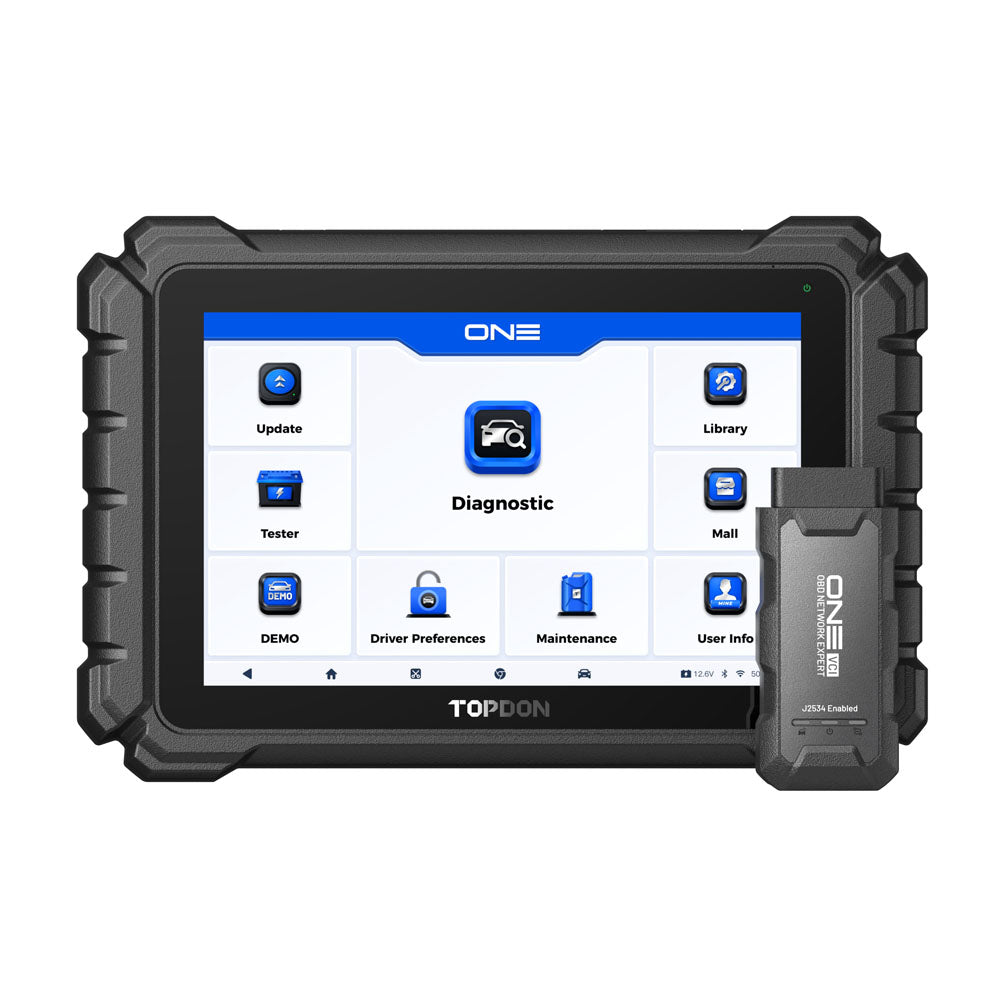
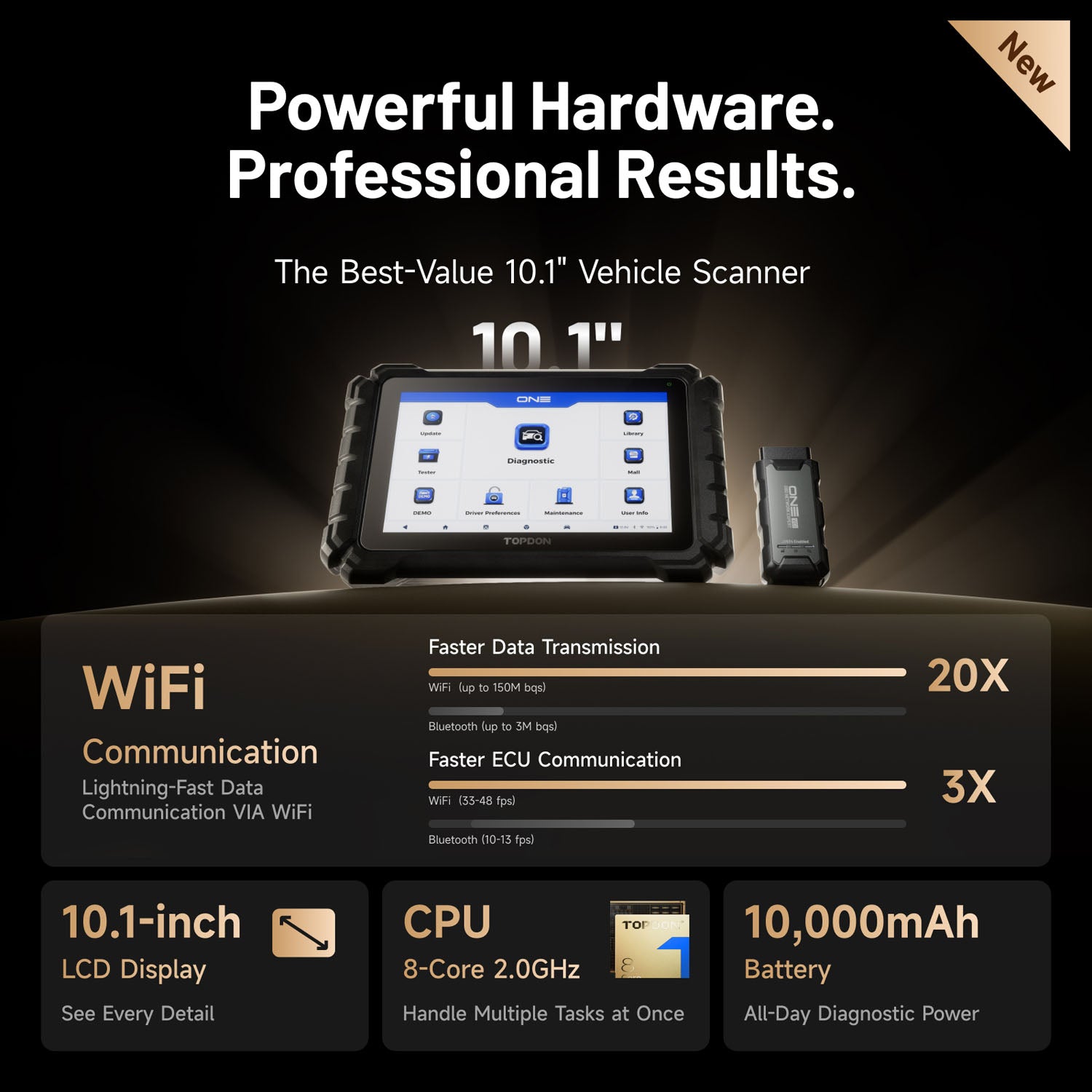
The TOPDON ONE is built for shops that have outgrown mid-tier scanners and need dealer-level programming in-house. Its J2534 pass-thru VCI lets technicians run OEM software directly, while topology mapping shows exactly which module on the network is throwing a fault.
It’s the right pick for a shop doing serious European and domestic diagnostic work, not just quick-service resets. The 10.1-inch display, dual Wi-Fi VCI, and 8-core processor keep it fast even during heavy ECU coding sessions or when multiple techs are pulling live data at once.
Key Features
- J2534 Pass-Thru Programming — connects to OEM software for genuine dealer-level module programming, cutting outside programming costs.
- OE Topology Mapping — visualizes the vehicle’s whole module network so techs can isolate a faulty ECU in seconds.
- 50+ Maintenance Functions — covers oil, BMS, EPB resets plus dynamic ADAS calibration and camshaft learning.
- CAN-FD & DoIP Protocol Support — communicates with 2018+ Mercedes-Benz, 2020+ GM, and other newer high-bandwidth vehicle networks.
- ECU Coding for BMW, Benz, VAG — matches replacement modules and unlocks factory-hidden functions on supported brands.
- TopFix AI Repair Guidance — pairs fault codes with likely causes and structured repair steps inside the same screen.
Why We Recommend It
Shops that need to stop outsourcing ECU programming and module coding should buy this tool first. It replaces trips to the dealer for BMW, Benz, and VAG coding jobs, and its 50+ resets even cover stubborn issues like a vehicle stuck showing reduced engine power after a module swap.
It earned the flagship spot here because of its topology mapping. Instead of scanning module by module, a tech sees the full network at a glance and jumps straight to the fault, which is exactly the kind of time savings a busy bay needs during a peak day.
Pros
- Genuine J2534 pass-thru for OEM-level programming
- Topology mapping speeds up complex fault isolation
- 50+ maintenance and reset functions included
- CAN-FD and DoIP support for modern vehicles
- Dual Wi-Fi VCI stays fast under heavy use
Cons
- Advanced features like ECU coding require an active subscription
- Higher upfront cost than mid-tier scanners on this list
What Customers Say
A verified buyer on TOPDON’s own site called it “well worth the buy,” adding that the interface stays intuitive even during daily use across a full shift of vehicles.
Another reviewer, a longtime user of an older TOPDON model, said the topology feature alone made it “so much faster” than their previous scanner when isolating faults on newer vehicles.
3. LAUNCH X431 CRP919E — Best for ECU Coding & Active Tests
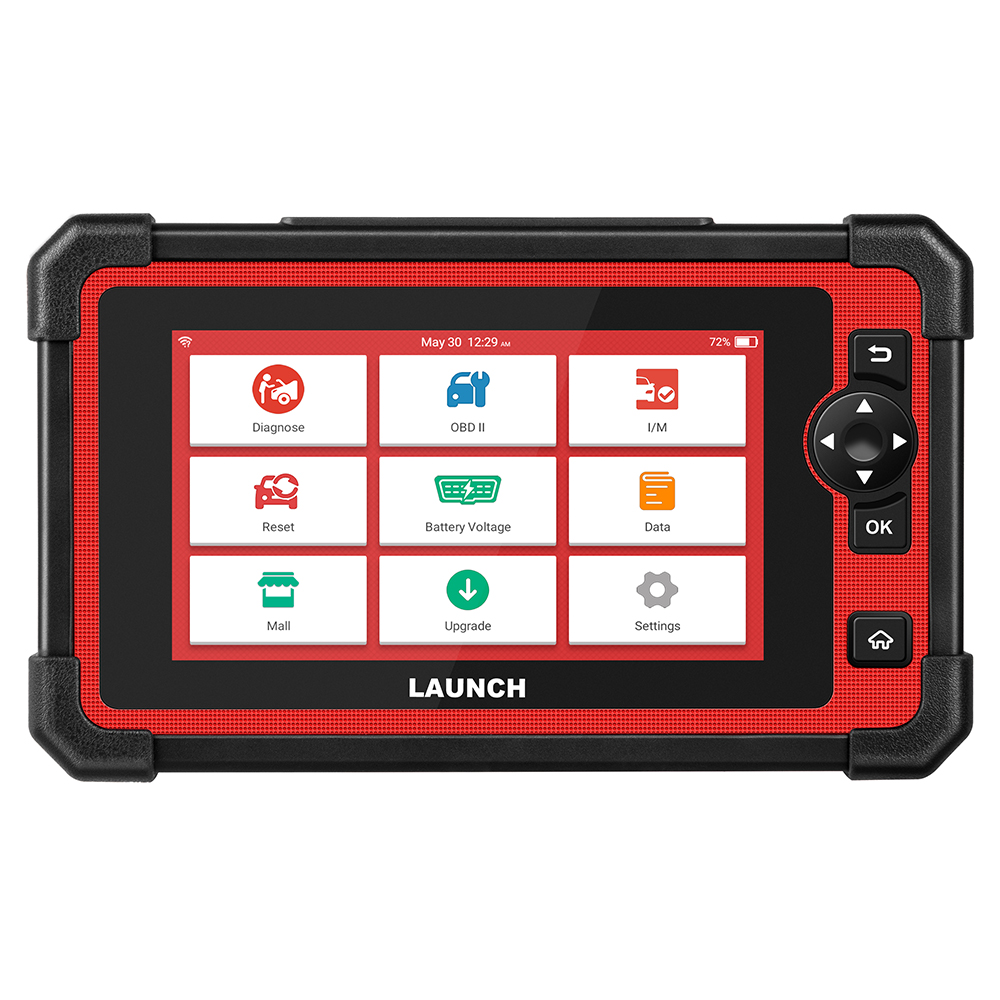
The CRP919E targets shops that want ECU coding and thousands of active tests without paying flagship pricing. It supports CAN-FD and DoIP protocols out of the box, so newer GM, Ford, and Volvo models diagnose correctly instead of throwing communication errors.
It fits a general repair shop that occasionally needs to code a replacement module or run a component-level active test, but doesn’t need full OEM pass-thru programming. The active test function alone is free with no subscription, which keeps ongoing costs predictable for smaller shops.
Key Features
- 35+ Reset & Calibration Functions — handles oil resets, SAS calibration, ABS bleeding, and injector coding, including stubborn cases like a stuck service 4WD light.
- 4000+ Active Tests — drives actuators like radiator fans and throttle bodies directly, no subscription required for this function.
- ECU Coding — matches replacement components and unlocks hidden factory functions on supported vehicle brands.
- CAN-FD & DoIP Protocols — reads newer GM (2020+) and Volvo (2017+) models that older scanners can’t communicate with.
- 8-in-1 Live Data Stream — displays up to eight parameters graphically at once for faster anomaly spotting.
- Extension Module Support — pairs with a separately sold battery tester and TPMS tool to expand shop capability.
Why We Recommend It
Shops that need ECU coding but can’t justify a dealer-level tablet should look here first. It delivers active tests and coding functions that usually sit behind a $600-plus price floor, at a noticeably lower cost, without cutting corners on full-system diagnostic coverage.
It earned this spot for its active test function being unrestricted. Many competing tools lock bidirectional control behind a paid subscription, but LAUNCH includes it standard, which matters for a shop watching recurring software costs closely.
Pros & Cons
Pros
- Active tests included free, no subscription needed
- ECU coding available for supported brands
- CAN-FD and DoIP protocols for newer vehicles
- 35+ reset and calibration functions
- Strong price-to-capability ratio for the feature set
Cons
- ECU coding is billed per brand on a subscription basis
- US-based manufacturer support can be harder to reach than Autel or TOPDON
What Customers Say
A technician on the Porsche 718 owners forum said the CRP919E “works very well” and called it reasonably friendly to use, adding they had “no regrets” after buying it for coding work.
An Amazon shopper compared it favorably to pricier tools, noting the active test and coding functions handled jobs that would otherwise require a trip to a dealership.
4. TOPDON Phoenix Lite 2 — Best Wireless & Portable Scanner
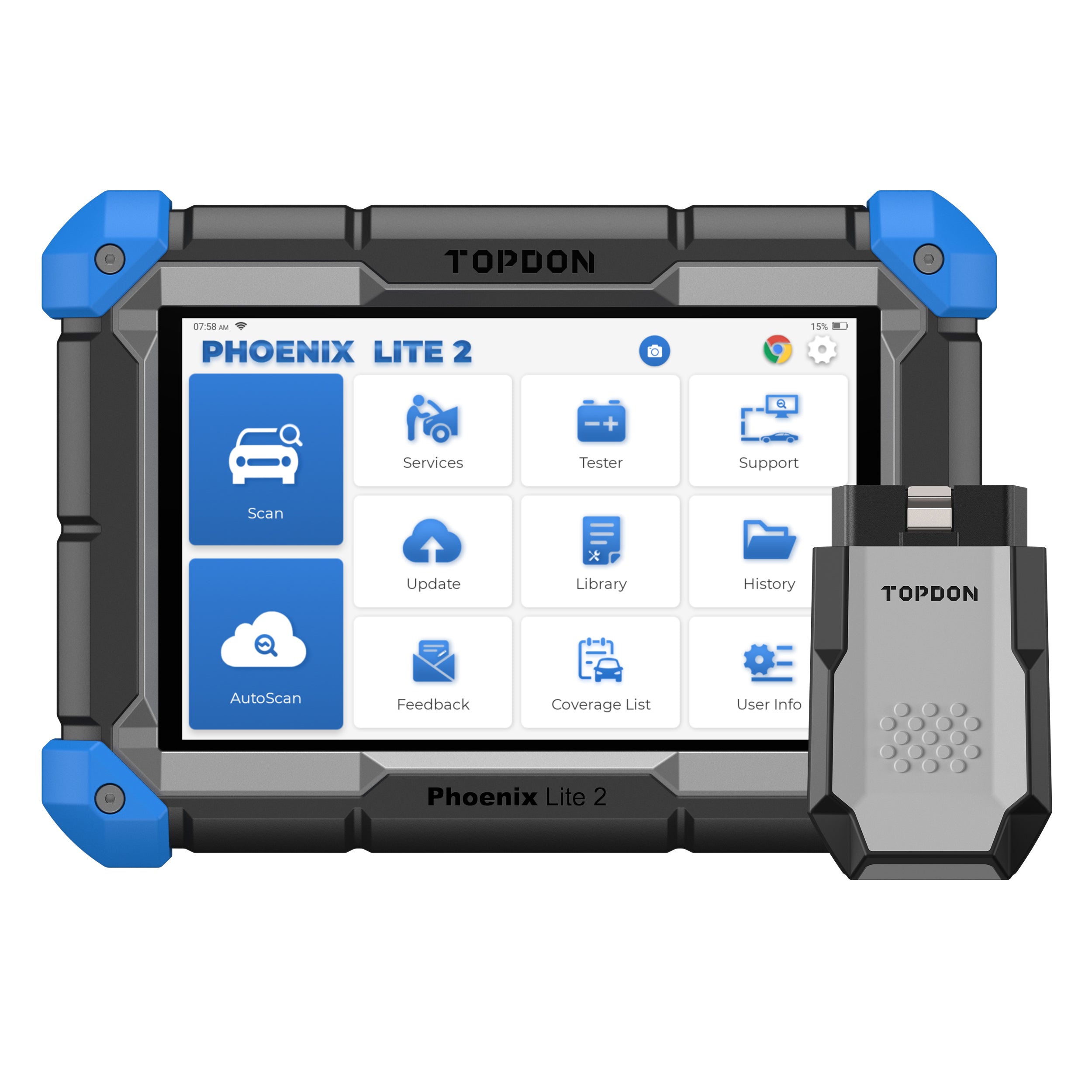
The Phoenix Lite 2 is built for techs who move between bays or work mobile jobs outside the shop. Its wireless Bluetooth VCI connects to the vehicle while the tablet stays in hand, so there’s no cable tethering a tech to the dash during a live data walk.
It’s a strong fit for a shop running mobile diagnostic calls or a technician who wants to walk around a vehicle during a road test while still watching live data. The 12,600mAh battery covers a full shift without needing a midday charge.
Key Features
- Wireless Bluetooth VCI — connects the tablet to the vehicle without a cable, useful for mobile diagnostics and road tests.
- 35 Maintenance Services — covers the reset menu most independent shops rely on for daily billable work.
- Online ECU Coding — supports Benz, BMW, VW, Audi, and Porsche coding for replaced or upgraded modules.
- Step-by-Step VAG Guidance — walks techs through security access and calibration steps on VW, Audi, Skoda, and SEAT vehicles.
- 8-Inch, 1280×800 Display — shows more diagnostic detail per screen than smaller 5-to-7-inch competitors.
- 12,600mAh Battery — lasts up to 24 hours of screen-on time, covering a full shop shift without recharging.
Why We Recommend It
Mobile mechanics and shops with techs who bounce between bays should consider this first. The wireless VCI removes the cable that usually limits movement around the vehicle, and the battery life means it survives a full day without hunting for an outlet.
It stands out for pairing pro-level diagnostic depth with genuine portability. Most scanners in this price range are either wireless with limited functions, or full-featured but cable-bound. The Phoenix Lite 2 avoids that trade-off.
Pros
- True wireless Bluetooth VCI for cable-free diagnostics
- Long 12,600mAh battery covers a full shift
- 35 maintenance services plus online ECU coding
- Step-by-step VAG guidance simplifies VW/Audi work
- Large 8-inch, high-resolution display
Cons
- Does not support topology mapping, unlike the TOPDON ONE
- Software renewal after year two carries a noticeable annual fee
What Customers Say
A verified buyer on TOPDON’s site said it “does all and more” of an $8,000 shop scanner they’d previously used, and praised the fast wireless connection during setup.
Another reviewer, comparing it to a cheaper reader bought at a retail auto parts counter, said the Phoenix Lite 2 “work great” for the job they bought it for, though they noted some functions cost extra.
5. Innova 5610 — Best Budget-Friendly Bidirectional Scanner

The Innova 5610 brings bidirectional control down to a price point smaller shops and serious DIYers can justify. It reads OBD2 and OEM live data across ABS, SRS, transmission, and engine systems, and it never charges a subscription fee for software updates.
It suits a small independent shop or mobile tech who needs solid bidirectional coverage without flagship pricing. It won’t replace a dealer-level tool for deep ECU coding, but for daily resets, relearns, and component testing, it covers the bulk of routine repair work reliably.
Key Features
- Bidirectional Control — commands components like ABS pumps and fuel injectors directly for accurate, fast troubleshooting.
- No-Subscription Updates — software updates are free for the life of the tool, with no recurring annual fee.
- Enhanced OBD2 & OEM Live Data — graphs, records, and plays back live data across advanced systems simultaneously.
- Pro-Level Resets — covers TPMS relearn after replacing a TPMS sensor battery, steering angle calibration, throttle body relearn, and ABS bleeding.
- RepairSolutions2 App Integration — pulls ASE-verified fix suggestions tied to the exact make, model, and fault found.
- Detachable OBD2 Cable — supports an optional OBD1 accessory kit for shops still servicing older vehicles.
Why We Recommend It
Budget-conscious shops that still need genuine bidirectional testing, not just code reading, should start here. It costs meaningfully less than the other bidirectional tools on this list while still covering the relearns and resets that make up most day-to-day repair tickets.
The no-subscription update policy is what earns it a spot on this list. Competing tools often charge $60 a month or more once the free period ends, while the 5610 keeps that cost at zero for the life of the device.
Pros
- Genuine bidirectional control at a budget-friendly price
- No subscription fees for software updates, ever
- RepairSolutions2 app adds ASE-verified fix suggestions
- Detachable cable supports optional OBD1 kit
- US-based customer support team
Cons
- No J2534 pass-thru or full ECU programming
- Coverage and features vary noticeably by vehicle year and make
What Customers Say
An Amazon customer wrote that the 5610 rates “at least a 8.5” against professional shop scanners they’d used, and singled out the lack of update fees as the standout benefit.
A reviewer on the CorvetteForum community noted it could “scan all modern Corvette modules” and run several bidirectional relearns and calibrations that most DIY-tier scanners simply can’t touch.
How to Buy the Best Professional OBD2 Scanner for Workshops

Picking the right scanner comes down to matching the tool’s depth to your shop’s actual workload. A quick-service shop needs different capability than one doing European module coding daily. Here’s what actually separates a good workshop scanner from a wasted purchase.
Build Quality
A shop scanner gets dropped, knocked off a fender, and handled with greasy gloves daily. Look for a rugged housing, a protected screen, and a kickstand or grip that survives bay conditions. Cheaper tablets with exposed ports and thin plastic shells rarely last a full year of daily shop use.
Performance
Processor speed and RAM determine how fast a scanner pulls a full-system scan and renders live data without lag. Underpowered tools stall mid-scan on newer vehicles with dozens of modules. Independent testing from outlets like Tom’s Guide consistently flags slow processors as the biggest complaint on budget scanners.
Vehicle Coverage & System Access
Coverage claims of “all vehicles” rarely hold up in practice. Check whether the tool supports CAN-FD and DoIP protocols required for 2018-and-newer European and GM models, and whether it opens FCA’s security gateway. A scanner that can’t diagnose a suspension fault on a customer’s SUV isn’t a true workshop tool.
Ease of Use
A cluttered menu structure slows every tech down, not just new hires. Auto VIN detection, clear icon-based navigation, and guided functions for brand-specific procedures cut the time between plugging in and getting useful data, which matters most during a packed service day.
Warranty & Support
Most professional scanners include a one-year hardware warranty and a free update period, typically one to two years. After that, expect an annual renewal fee for full vehicle coverage. Confirm whether US-based support exists before buying, since overseas-only support can mean days of downtime during a warranty issue.
Price vs Value
The most expensive scanner isn’t automatically the right one. A shop doing mostly oil resets and code reads doesn’t need J2534 pass-thru programming. Match the purchase to the jobs that actually come through the bay, and let occasional advanced jobs go to a specialist instead of overbuying.
How to Install, Maintain a Professional OBD2 Scanner
How to Install
Installation is simple, but a rushed connection is the most common source of false readings. Locate the vehicle’s 16-pin OBD2 port, confirm the ignition state the manual specifies, and connect the cable or VCI fully before powering on the scanner.
- Locate the OBD2 port, usually under the dash near the steering column.
- Confirm whether the scan requires the key in the “on” position or the engine running.
- Seat the connector fully; a loose OBD2 plug is a common cause of communication errors.
- For wireless VCIs, pair the Bluetooth or Wi-Fi connection before starting the scan.
How to Set Up / Tune
Setup determines how accurate the diagnostic session will be. Run Auto VIN first so the scanner loads the correct vehicle software, then select full-system scan instead of engine-only to catch faults hiding in ABS, SRS, or body modules that a basic scan would miss entirely.
- Run Auto VIN or manually enter the VIN to load correct vehicle-specific software.
- Choose “full system” or “all module” scan rather than a single-system quick scan.
- Update the scanner’s software before a diagnostic session on a newer model year.
- Save a pre-repair report before starting work, then a post-repair report to confirm the fix.
How to Maintain
A scanner is a daily-use tool, and neglecting updates or storage shortens its useful life fast. Keep the firmware current, store it away from extreme heat, and back up saved reports periodically so a factory reset or software issue doesn’t wipe a shop’s diagnostic history.
- Update software monthly, or before diagnosing any 2024-or-newer vehicle.
- Charge wireless VCIs fully before a mobile job to avoid a mid-scan shutdown.
- Store the scanner in its case, away from direct sun or engine bay heat.
- Export and back up saved diagnostic reports periodically in case of a device reset.
Frequently Asked Questions
What’s the difference between a code reader and a professional bidirectional scanner?
A code reader only reads and clears trouble codes from the engine system. A bidirectional scanner sends commands back to the vehicle’s modules, letting a tech actuate a fuel pump, run an ABS bleed, or calibrate a steering angle sensor. That active testing is what separates a shop-grade tool from a glovebox reader.
Do I need J2534 pass-thru programming for my shop?
Only if you regularly perform full ECU flashing or module replacement programming that requires OEM software, like BMW or GM dealer-level updates. Most independent shops handle daily work fine with bidirectional active tests and coding functions, and only occasionally need true pass-thru capability for deeper reprogramming jobs.
Why does a scanner fail to communicate with some newer vehicles?
Newer vehicles, particularly 2018-and-up Mercedes-Benz, 2020-and-up GM, and many Volvo models, use CAN-FD or DoIP communication protocols. Older scanners built only for standard CAN bus can’t talk to these networks at all. Confirm CAN-FD and DoIP support before buying if your customer base includes recent European or GM vehicles.
How often do professional OBD2 scanners need software updates?
Most manufacturers release monthly or quarterly updates that add new vehicle coverage, fix bugs, and expand service functions. Free update periods typically run one to two years from purchase, after which an annual renewal fee applies for continued coverage of new model years and expanded diagnostic functions.
Can a scanner cause a false diagnostic reading?
Yes, usually from a loose OBD2 connection, outdated software, or scanning with the wrong ignition state selected. A vehicle that seems to revs up and down while driving can also trigger inconsistent live data if the scan starts before the engine reaches normal operating temperature, so always confirm connection and software status first.
Final Conclusion
The right professional OBD2 scanner depends entirely on what actually comes through your bay. A general repair shop handling daily resets and full-system diagnostics gets the most value from the Autel MaxiCOM MK808S, which balances bidirectional control against a genuinely workable price.
Shops that regularly code modules or need dealer-level programming should look at the TOPDON ONE or LAUNCH X431 CRP919E, both of which unlock work that would otherwise mean an outside dealer visit. Mobile techs benefit most from the wireless freedom of the TOPDON Phoenix Lite 2, while budget-focused shops still get real bidirectional coverage from the Innova 5610.
Whichever tool fits your workload, prioritize CAN-FD and DoIP support, a real bidirectional function, and confirmed US-based support before buying. A scanner that can’t talk to a third of the vehicles rolling into your bay isn’t saving anyone time, no matter how low the price tag looks.

Leave a Reply